 ClassConnector
WordPress plugin for Jackrabbit Class
Your Jackrabbit classes, on your website, live.
Parents don't want to log into a portal to see if Tuesday's Level 2 class has a spot. They want to see it on your site and click Register. That's what this does.
Put in your Jackrabbit Org ID, drop a shortcode on a page, and your classes show up. Change something in Jackrabbit and it's on your site.
Three ways to show your schedule
Pick one, or put a different one on each page.
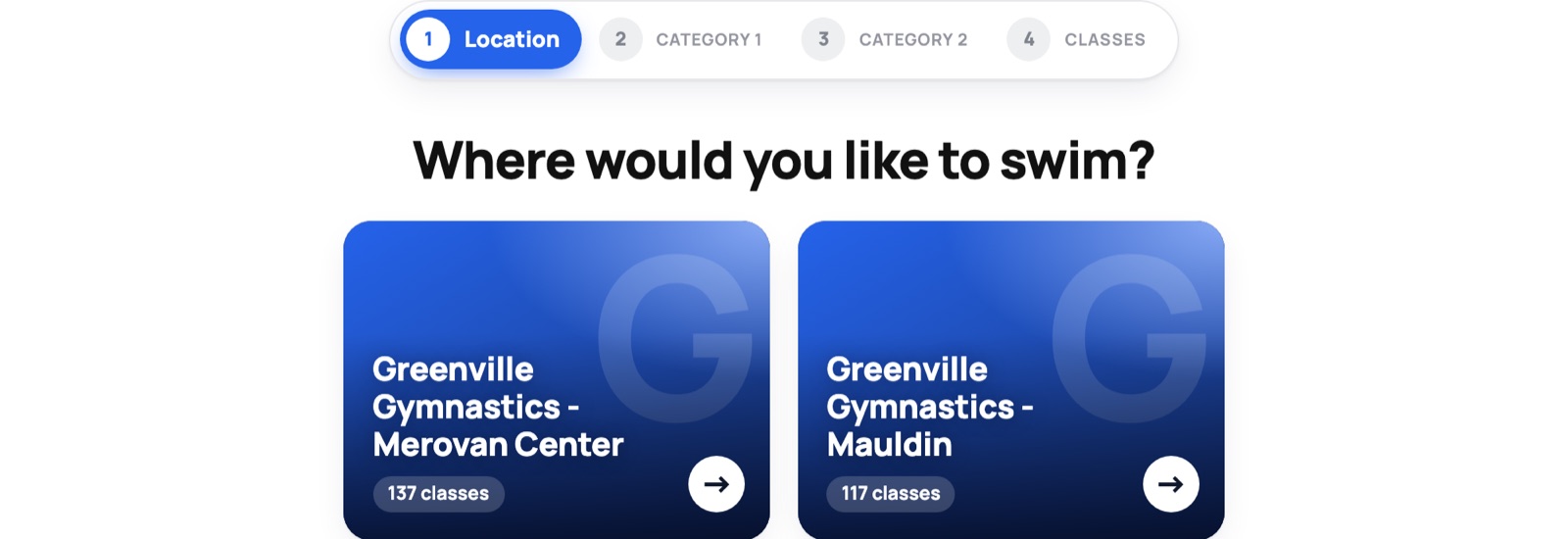
Step-by-step class finder
Parents pick a location, then a program, then a level, and only see what's left. Two locations and forty classes stops being a wall of text.
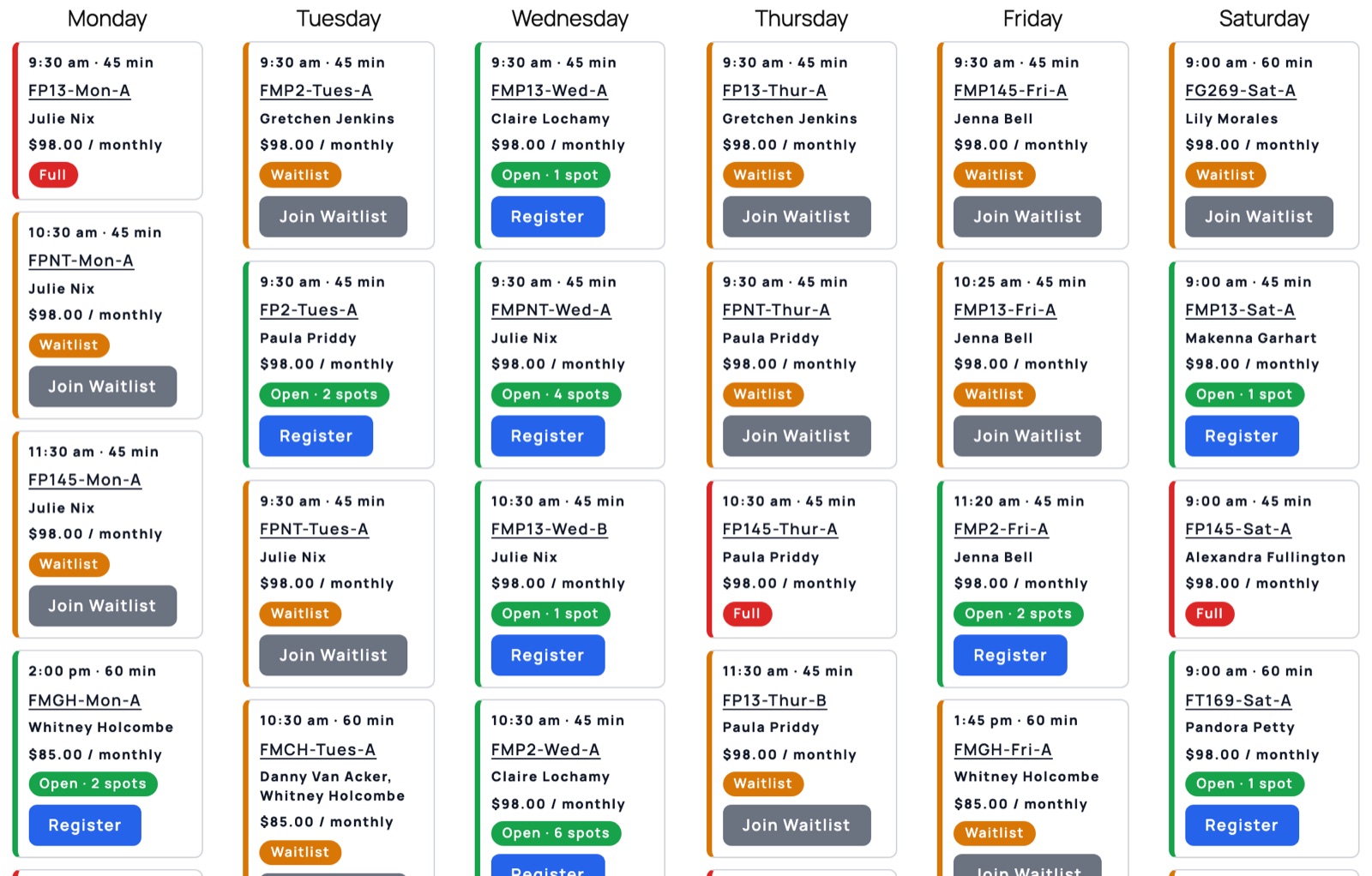
Weekly calendar
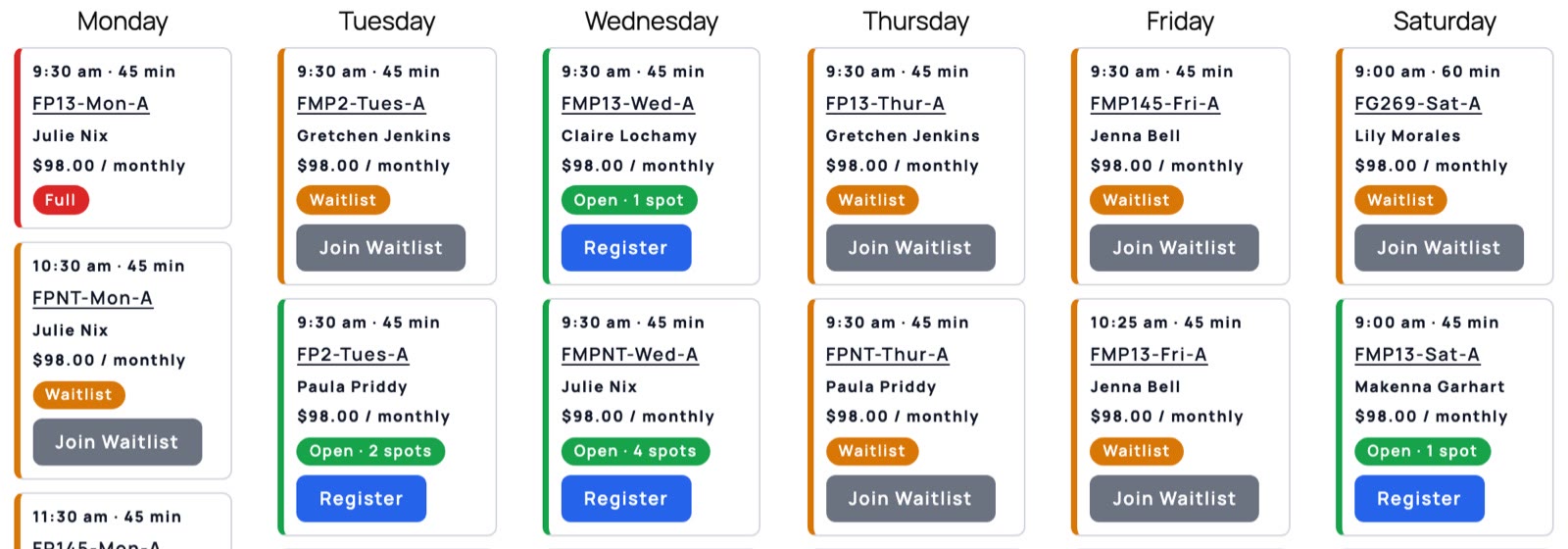
Every class by day, with open spots, waitlist and full shown in color. Register goes straight to Jackrabbit.
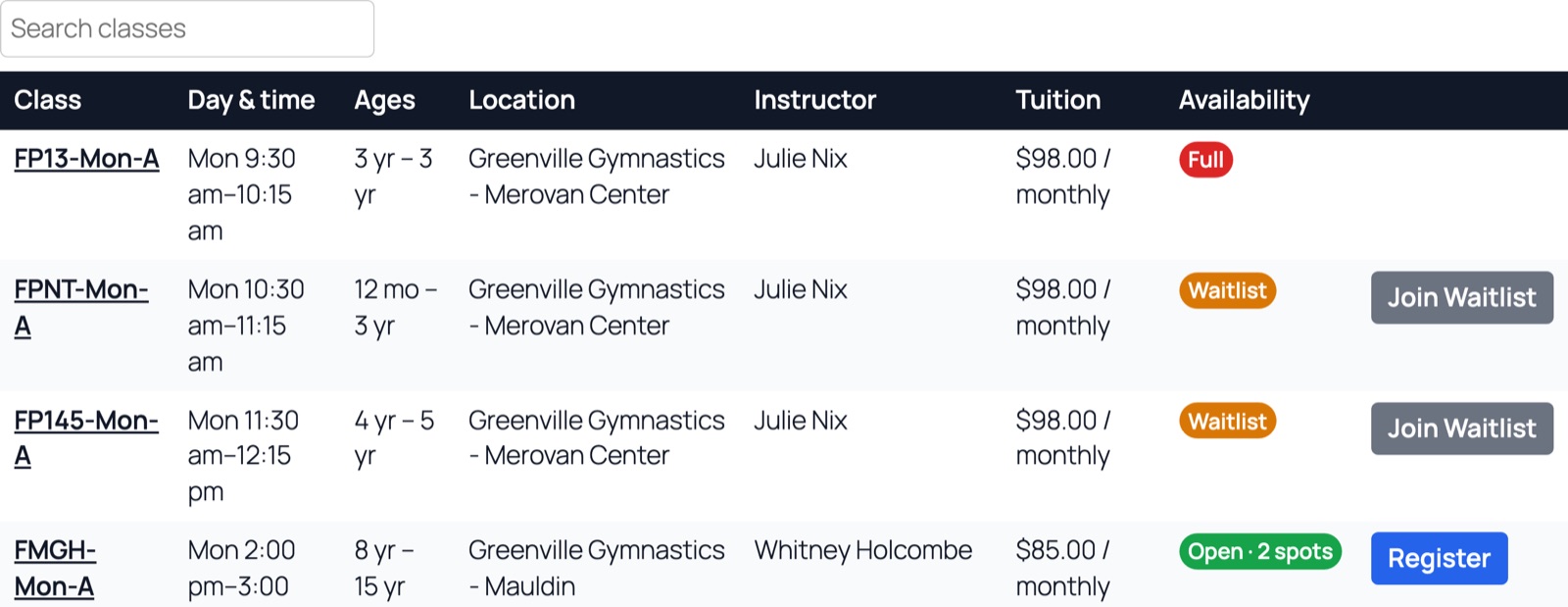
Class table
Search and sort by day, age, location, instructor or tuition. The quickest way for a parent who already knows what they want.
Pricing
Updates and support included.
What you get
Class table
With search and sorting.
Step-by-step class finder
Location, program, level, classes.
Weekly calendar
Every class by day with live openings.
Class wizard
Questions in, classes out. "How old is your swimmer?"
Your colors, names and photos
Jackrabbit stays the way your staff likes it.
Google Analytics events
See every Register click. Works on phones.
Questions
We already have the Jackrabbit portal.
You do. Parents hate it. They land on your site, can't find the schedule, and call the front desk. ClassConnector puts the schedule where they already are, with your colors and your names for things, and hands them to Jackrabbit only when they click Register.
Our class names in Jackrabbit are a mess.
Everybody's are. "MON 3:30 GRN LANE #9" means nothing to a parent. Rename anything, add a photo and a paragraph, hide what you don't want shown. Jackrabbit stays exactly the way your staff likes it.
We have two locations and like forty classes.
Good. Parents pick a location, then a program, then a level, and only see what's left. Or they answer three questions in the class finder ("How old is your swimmer?") and get the classes that fit. Or they look at a weekly calendar. You pick which.
We're on ActionRabbit.
One click imports your settings, your names, your photos and your wizard. Your old shortcodes keep working. You don't have to touch a single page.
What happens if I stop paying?
The schedule comes off your site 14 days after your license runs out. A declined card isn't instant: Stripe retries it for a couple of weeks first, and then you get the 14 days on top of that. Renew and it comes right back, settings and all.
Will Google see my classes?
Yes. The classes are real text on the page, not a spinner that loads later. Google can read them.
What do I need?
A WordPress site (6.0 or newer, PHP 8.0 or newer) and your Jackrabbit Org ID.
Get ClassConnector
Tell me your website and how many sites. I'll send your license key and the download link.
Questions? Email me. I built it. I'll answer.